

If you’re an association, there’s a decent chance you’ve already done the hard work:
- You’ve built a detailed competency or capability model.
- You’ve defined roles, job families, or practice levels.
- You’ve mapped learning resources and certifications to that framework.
And yet, most members still experience the association as:
“They run a conference and send me emails about courses.”
The problem usually isn’t the content—it’s the experience. Your competency model is sitting in PDFs, PowerPoints, or internal documents, instead of living where members make decisions about their careers.
This is exactly where career pathing software for associations and a career exploration platform for association members come in. They turn models and frameworks into something members can actually use.
Let’s look at how to make that shift.
The Hidden Value in Your Competency Model
Most associations build competency models and job frameworks for good reasons:
- To standardize the profession
- To guide credential design
- To align education and events with real-world practice
- To help employers understand what “good” looks like
But from a member’s perspective, those models are often invisible. They may show up as:
- A static PDF buried on your website
- A diagram flashed briefly in a webinar
- A slide in a certification info session
Members rarely get a chance to interact with the model directly or see how it applies to their careers.
The missed opportunity? Your competency model could be the backbone of a powerful, year-round member experience.
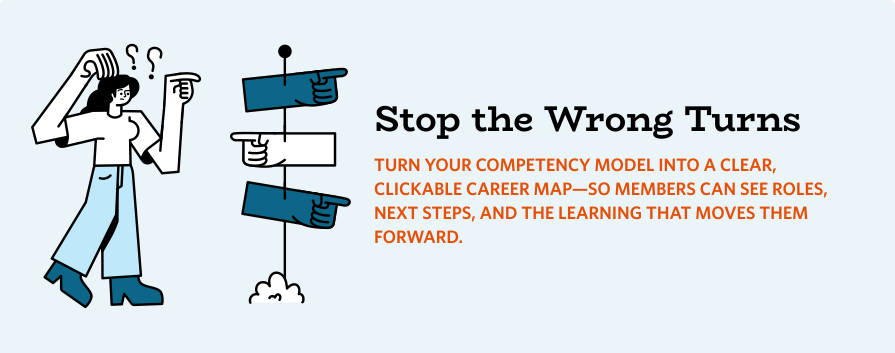
Why Static Models Don’t Drive Member Behavior
Static models don’t change careers because they don’t answer the questions members are really asking, like:
- “What roles exist in this profession beyond my current job?”
- “What are realistic next steps from where I am now?”
- “Which skills should I focus on this year?”
- “Which courses or credentials from this association will actually move me forward?”
When your model sits on the shelf, it doesn’t feel like a tool. It feels like a reference. And references are easy to ignore.
Step 1: Turn Roles and Competencies into a Navigable Map
The first step in bringing your model to life is making it navigable. Instead of a dense chart, imagine members seeing:
- A simple visual of job families or domains
- Clickable role cards that open detailed descriptions
- Clear indicators of entry, mid, advanced, and leadership levels
In a career exploration platform for association members, they should be able to browse:
- “Show me all roles in clinical research.”
- “Show me roles where communication and stakeholder management are core skills.”
- “Show me roles that typically require this credential.”
You already have the logic; the platform makes it explorable.
Step 2: Connect Roles to Competencies in Plain Language
Your competency model is full of rich detail—but it might read like it was written by a committee (because it was). To make it usable for members:
- Translate competencies into plain language descriptions inside each role.
- Show what behaviors, skills, or knowledge areas matter most for success.
- Map those expectations to levels (e.g., foundational, intermediate, advanced).
Instead of a member reading a 40-page model, they see:
“For this role, you’ll need strong skills in stakeholder engagement, data interpretation, and ethical decision-making, at an advanced level.”
Same content. Different experience.
Step 3: Let Members Self-Assess—Two Ways
Here’s where career pathing software really changes the game: self-assessment. Members should be able to use it in two simple ways:
- If they know what role they want next
They select a target role, run a self-assessment against the competency model, and immediately see:
- where they’re strong
- where the gaps are
- which courses, credentials, and resources will help close those gaps
- If they don’t know what role to aim for yet
They can take the self-assessment first—without picking a target role—and the platform can recommend roles and pathways that best align to their current strengths, interests, preferences, and skill profile. From there, they can explore options and build a plan with confidence.
Either way, your competency model stops being a static document—and becomes a personalized career compass.
Step 4: Tie Gaps Directly to Your Courses, Credentials, and Events
This is where the association’s value proposition gets really clear. Once members see their gaps, your career pathing software for associations should be able to recommend:
- Courses and webinars
- Workshops and conference sessions
- Microlearning, articles, or resources
- Certifications and credentials
Suddenly, your catalog isn’t a long list to scroll through—it’s a curated set of next steps tied directly to a member’s goals.
Step 5: Help Members Build Simple, Shareable Development Plans
Once members have a sense of where they’re strong and where they need to grow, the next step is turning that insight into a small, focused plan. Inside a career exploration platform, they should be able to:
- Add specific learning activities (courses, credentials, events)
- Save learning resources and actions to a dashboard and learning plan to discuss with a manager or mentor
And for associations working with employer partners, an optional Managers Module can take this one step further:
- Optional Managers Module: Managers (or the employer) can complete an assessment as well—so members can compare results side-by-side and see where they align or where perceptions differ.
- Better coaching + better plans: That comparison leads to clearer development conversations and more targeted, actionable learning plans members can use to demonstrate progress to employers.
Step 6: Show the Impact (and Tell the Story)
As you bring your competency model to life this way, you’re also building a powerful story for your board, sponsors, and the market. You can start to answer questions like:
- Which roles are most explored by members?
- Which skills are most frequently identified as gaps?
- Which courses or credentials are most connected to career movement?
- How does usage of the career platform correlate with renewals?
You already believe your association advances careers. Now you can show how, in detail.
How Happy Path Helps You Bring Your Model to Life
Happy Path was built to be the layer between your competency model and your members’ real careers. As a career pathing software for associations, it lets you:
- Represent your job families and roles in a clear, interactive way
- Tie each role to competencies and capability levels
- Offer self-assessments that reveal strengths and gaps
- Link those gaps directly to your courses, credentials, and events
- Support members in building simple development plans they can revisit over time
- Unlock powerful reporting and insights—so you can see what roles members explore most, which skills show up as common gaps, what learning gets the most traction, and how engagement maps to renewals and program growth
You don’t need to throw away the work you’ve already done. You just need to put it in a format members can use as part of their everyday career thinking.
From Static Framework to Living Member Experience
Your competency model is already a powerful artifact. It represents:
- Deep expertise in your profession
- Thoughtful agreement on what “good or qualified” looks like
- The backbone of your education strategy
The next step is to let members actually live inside it.
With the right career exploration platform:
- New members can quickly see where the profession can take them.
- Mid-career professionals can map their next move with confidence.
- Employers see your association as a serious partner in skilling their workforce.
- Your board sees a clear line from strategy → model → member value.
If you’re ready to turn your competency model into a living, breathing member experience, tools like Happy Path are built to help you do exactly that—without asking your staff to become product designers overnight.
Read More
How Career Pathing Software for Associations Increases Member Value and Retention
Career Pathing 101 for Real-World Teams: Start Simple, Grow Fast
How Happy Path Serves SMBs, Associations, and Public Utilities