

If you’re running a small or mid-sized business, you probably feel the pain of losing good people. Someone talented leaves, and when you finally get the exit interview, you hear some version of: “I just couldn’t see a future for myself here.”
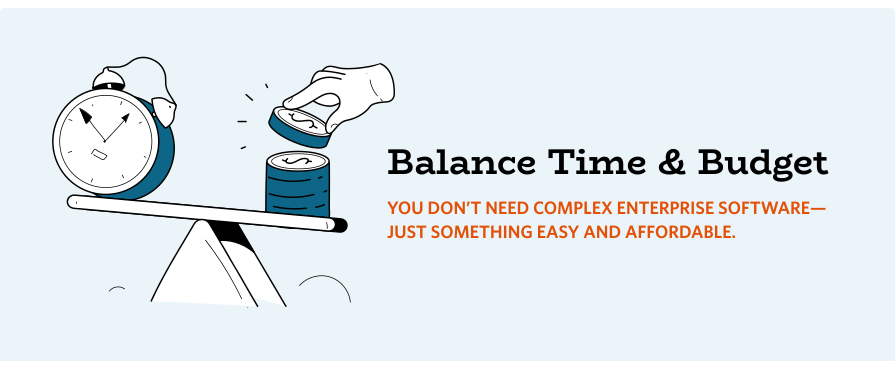
That’s where career pathing software comes in. And the good news is: you don’t need an expensive, enterprise-grade talent marketplace to solve that problem. You just need an affordable, simple way to show people where they can grow and how to get there.
In this guide, we’ll look at what affordable career pathing software for small to medium-sized businesses should actually do, what to watch out for, and how a focused platform like Happy Path fits into the picture.
Why Career Pathing Matters—Even for Small Teams
Career pathing sometimes gets treated like a “big company” problem, but the consequences of not doing it are brutal for smaller organizations:
- Every departure hurts more because you’ve got less redundancy.
- You spend time and money hiring from outside when you could have grown someone from within.
- High performers quietly assume their next step is out, not up or across.
You don’t need a giant internal marketplace that orchestrates thousands of gigs and redeployments. You just need a way to:
- Make roles and expectations transparent
- Show people a few clear next steps
- Help them see which skills to build for those roles
- Connect them to the right learning or stretch opportunities
That’s exactly what right-sized career pathing software should deliver.
What Career Pathing Software Should Do (In Plain Language)
Let’s strip out the jargon. At its core, good career pathing software for small businesses should help you:
- Show your structure clearly: Employees should be able to see departments, job families, and roles in one place. No more guessing what roles exist in other parts of the organization.
- Make career pathways obvious: The tool should show lateral moves (across departments) and vertical moves (up a job family) so people can see real options—not just “my manager’s job.”
- Clarify what each role requires: People should be able to click into a role and understand what it actually involves: key responsibilities, skills, behaviors, and education/experience.
- Help people self-assess: Employees should be able to compare their skills and experience to a role’s requirements and identify gaps. This is where lightweight self-assessment is powerful.
- Help people understand their fit: Employees should see how their interests, preferences, education, and strengths align with different roles so they can explore paths that truly suit them.
- Turn insight into action: The real magic is connecting those gaps to learning resources: courses, microlearning, internal programs, mentoring, or stretch projects.
If a platform does these five things well—and is affordable and easy to implement—you’re in good shape.
Key Features Small Businesses Should Prioritize
When you’re evaluating career pathing software for small businesses, here’s what should be at the top of your checklist.
1. Simplicity of Setup
You shouldn’t need a full-time HRIS team or a six-month implementation. Look for:
- A guided way to enter roles, departments, and career paths
- The ability to start small and expand later
- Reasonable, human support during setup
If the first step involves “standing up a global skills architecture” and hiring a consulting firm, that’s a sign it’s probably overkill.
2. Ease of Use for Admins
Most small HR and People teams are already stretched. Your career pathing tool should:
- Make it easy to update roles and requirements
- Let you manage a capability model without needing a PhD in data modeling
- Avoid endless configuration screens and cryptic settings
If you can’t figure it out in an afternoon, your admins won’t keep it updated—and then employees stop trusting it.
3. A Clear, Friendly Employee Experience
If the experience feels like an ERP, adoption drops fast. For employees, you want:
- A clean visual layout of departments and roles
- Easy search and filters to find relevant roles
- Plain-language role descriptions and expectations
- Simple, guided self-assessments
The user experience should invite exploration and curiosity, not confusion.
4. Connection to Learning Resources
Career pathing without development is just wishful thinking. Look for a platform that:
- Lets you link roles and skills to courses, programs, or external resources
- Supports simple learning action plans employees can save and revisit
- Works alongside your LMS or even simple learning catalogs
You shouldn’t have to replace your entire learning ecosystem to make career pathing work.
Red Flags: When a Platform Is Too Big for Your Needs
Some tools you’ll encounter are brilliant—for massive, global enterprises. For a small or mid-sized business, they can be overwhelming and expensive. Watch for these red flags:
- Heavy implementation requirements: If they’re talking about multi-month scoping, huge project teams, and change management waves, you’re probably not the target customer.
- Required transformation to a “skills-based organization:” Great vision, but if you’re just trying to get out of spreadsheets and give people visibility into paths, this may be too big a leap for today.
- Pricing that feels like an ERP: If getting a quote feels like buying an HRIS or an ERP, and you’re nowhere near that scale, pause.
- More features than you’ll ever use: If 80% of what’s being demoed is features you won’t implement for years—if ever—that’s a sign you’re paying for someone else’s needs.
Where Happy Path Fits
Happy Path is designed specifically as affordable, focused career pathing software for small businesses and associations. Instead of trying to be a full-blown talent marketplace, it zeroes in on what you actually need:
- Map departments, job families, and roles in a way your employees can understand at a glance.
- Define clear career pathways across your organization, including lateral and vertical moves.
- Tie roles to a capability model so expectations and skills are transparent.
- Offer built-in self-assessments so employees can see where they stand.
- Create actionable learning plans linked to your existing learning resources.
It’s a career pathing tool that’s intentionally lighter, more human, and more affordable than enterprise suites—because that’s what small and mid-sized organizations actually need.
How to Get Started Without Overcomplicating It
If you’re just beginning, here’s a simple way to pilot career pathing:
- Pick one or two departments where career paths are especially fuzzy or turnover is high.
- Define 5–10 key roles and a few career pathways between them.
- Add your core capabilities or skills for each role (you can start small).
- Invite a small group of employees and managers to explore, self-assess, and build learning plans.
- Gather feedback and iterate before rolling it out more widely.
You don’t have to boil the ocean on day one. Start where it matters most, prove value, and then expand.
Conclusion: Right-Sized Career Pathing Makes a Big Difference
You don’t need a massive talent marketplace to show your people they have a future with you. You need:
- Clear roles and pathways
- Honest visibility into skills and gaps
- A simple way to connect learning to growth
That’s what affordable career pathing software for small businesses is all about.
If you’d like to see what that looks like in practice, Happy Path was built to do exactly this—with the budget and bandwidth of real-world teams in mind.
Learn More:
Career Pathing 101 for Real-World Teams: Start Simple, Grow Fast
How Happy Path Serves SMBs, Associations, and Public Utilities