

Career pathing can sound like a big-company initiative—something that requires months of workshops, a massive skills taxonomy, and a dedicated HRIS team.
But in real-world organizations, career pathing is much simpler (and much more practical) than that.
At its core, career pathing is just this: helping people see where they can go next, and what it takes to get there.
And when employees can’t see a future inside your organization, they’ll build their future somewhere else. Not because they dislike the work or the people—but because they don’t have direction.
This guide breaks down career pathing in plain language, what “good” looks like, and how to get started without boiling the ocean.
What Is Career Pathing—In Plain Language?
Career pathing is the process of:
- Making roles visible (not just “the jobs you already know”)
- Mapping pathways between roles (upward and lateral)
- Clarifying expectations for each role (skills, behaviors, experience)
- Helping employees identify gaps and take action (learning plans)
You can absolutely do this informally. Many organizations do.
But informal career pathing tends to live in:
- manager memory
- “who you know”
- inconsistent advice
- PDFs no one opens
Career pathing becomes powerful when it’s shared, visible, and usable.
Why Career Pathing Matters—Even for Small Teams
Smaller orgs sometimes assume career pathing is optional. But the cost of not doing it is often higher:
- Every departure hurts more (less redundancy, more tribal knowledge loss)
- High performers leave first (they won’t wait around hoping something opens up)
- Managers struggle (career conversations feel risky without a shared framework)
- Learning feels random (courses aren’t connected to career outcomes)
Career pathing doesn’t have to be perfect to be effective.
It just has to be clearer than: “We’ll see.”
The Building Blocks of Effective Career Pathing
If you only remember four things, remember these.
1) Clear Roles (Written for Humans)
A role should answer:
- What does this job actually do?
- What does success look like?
- What skills and behaviors matter most?
If your role descriptions are written like legal documents, employees won’t use them to plan a career. They’ll use LinkedIn instead.
2) Visible Pathways (Not Just a Ladder)
Most employees assume the only path is their manager’s job. Pathways expand the idea of growth:
- promotions
- lateral moves
- specialist tracks
- cross-functional transitions
Even a few mapped pathways can change how people think about their future.
3) Lightweight Self-Assessment
Self-assessment shouldn’t feel like a test. It should feel like a flashlight:
- “Here’s where I’m strong.”
- “Here are 2–4 gaps that matter for my next step.”
- “Here’s what I can do about it.”
4) Learning Plans Tied to Real Outcomes
Development becomes motivating when employees can see the why:
- “To move into Role X, build Skills A, B, and C.”
- “Here are the courses/projects/mentors that build those skills.”
When learning is connected to a real role, engagement goes up.
How to Start Small (Without Overcomplicating It)
If you’re starting from spreadsheets—or nothing at all—here’s a clean approach:
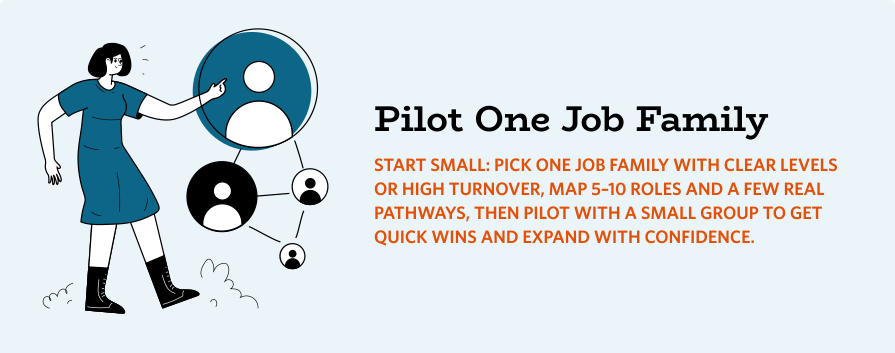
- Pick one job family (5–10 roles)
- Write role descriptions in plain language
- Map a handful of real pathways people actually take
- Add a small set of core skills per role
- Link gaps to existing learning resources
- Pilot with one job family, get feedback, expand
That’s it. No big-bang transformation required.
Where Software Helps (And Where It Shouldn’t)
Career pathing software is useful when it:
- makes roles and paths easy to browse
- standardizes expectations across managers
- supports simple self-assessment
- connects gaps to learning plans
It’s not useful when it:
- requires months of implementation
- is packed with enterprise features you won’t use
- needs a full-time admin to maintain
How Happy Path Fits (Right-Sized Career Pathing)
Happy Path is built specifically to make career pathing clear, usable, and fast to implement—without the “enterprise bloat.”
It helps you:
- map departments, job families, and roles in a browsable, visual way
- show pathways from each role (upward + lateral)
- connect roles to your competency/capability model
- enable lightweight self-assessments to reveal meaningful gaps
- turn those gaps into learning plans tied to your existing resources
It doesn’t try to replace your HRIS. It’s the layer employees actually use.
If you want a right-sized way to bring roles, pathways, and learning together without enterprise bloat, Happy Path is designed to make career pathing practical—and actually adopted.
Learn More:
Practical Buyers Guide: Affordable Career Pathing Software for SMBs
How Happy Path Serves SMBs, Associations, and Public Utilities